Camera Actions
note
The Camera group actions are designed to work only in OpS procedures.
The Camera group contains the following actions:
- Camera Follow Target
- Move Camera
- Set Camera Orbit Target
Camera Follow Target
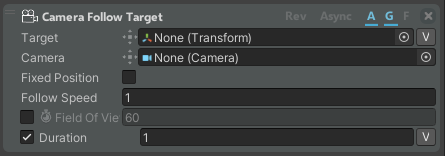
The Camera Follow Target action allows you to set the camera to follow one object in real time when the target is moving.
| Property | Description |
|---|---|
| Target | Object to be followed by the camera |
| Camera | Camera that follows the target |
| Fixed Position | If enabled, the camera keeps its current position and rotates only to observe the target from its position |
| Follow Speed | Speed of the camera when following its target (in m/s) |
| Field of View | If enabled, the field of view of the camera can be customized. You can animate it |
| Duration | How long the camera must follow the target (in sec.) |
Move Camera
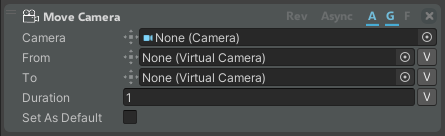
The Move Camera action allows you to move the WEAVR Camera from one position to the other.
| Property | Description |
|---|---|
| Camera | Camera that follows the target |
| From | Initial point where to start moving the camera (if empty, the current position of the camera is taken). The camera pose is created with Camera Manager |
| To | Destination point of the camera, created using the Camera Manager |
| Duration | The time the camera will take to reach the specified destination (in sec) |
| Set as Default | When true, the destination will become the default virtual camera for all free cameras. Inside an OpS procedure, it enables the related button |
Set Camera Orbit Target
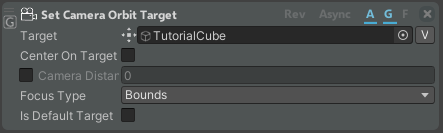
The Set Camera Orbit Target action allows you to set the target around which the camera can zoom and rotate around its pivot point in OpS procedures. This action is associated with the Camera Orbit button that enables or disables the camera movement. You can configure the camera movement parameters in the Camera Orbit component.
| Property | Description |
|---|---|
| Target | Game object around which the camera zooms and rotates |
| Center on Target | If enabled, the camera is centered on the target |
| Camera Distance | If enabled, the distance from the camera to the target |
| Focus Type | Where the camera must focus: Bounds or Pivot Point |
| Is Default Target | If enabled, focuses on this target as on a default one |