Multiplayer
Procedures running in the WEAVR Player support multiplayer by default. If you do not want to use multiplayer in your procedure, disable the Collaboration option under the Collaboration Settings section in your procedure asset.
Collaboration Settings
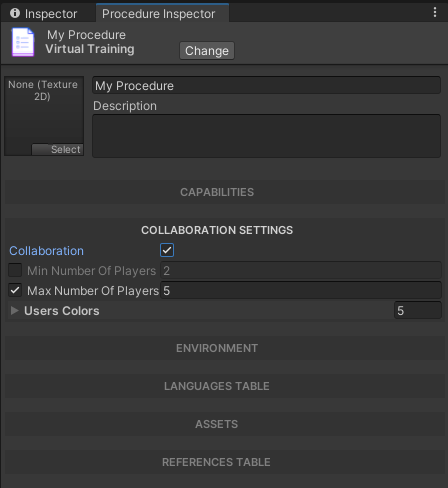
The Collaboration Settings section in the procedure asset controls multiplayer behavior. Disable the Collaboration option to run a procedure in single-user mode.
To enable Multiplayer inside a procedure you need to activate its capability in the Procedure asset file.
WeavrMultiplayer Object

The WeavrMultiplayer game object contains the multiplayer networking component used to enable standalone multiplayer support in a build.
Standalone Multiplayer
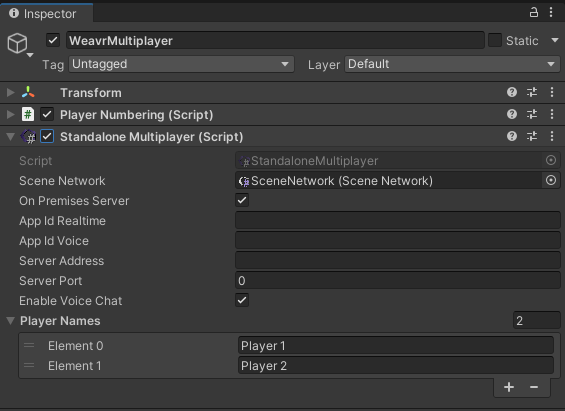
Your procedure can support multiplayer even in a standalone build, where the WEAVR Player is not used.
To use multiplayer in standalone build:
-
Enable the Standalone Multiplayer component in the
WeavrMultiplayergame object. -
Set your app details in the Standalone Multiplayer component.
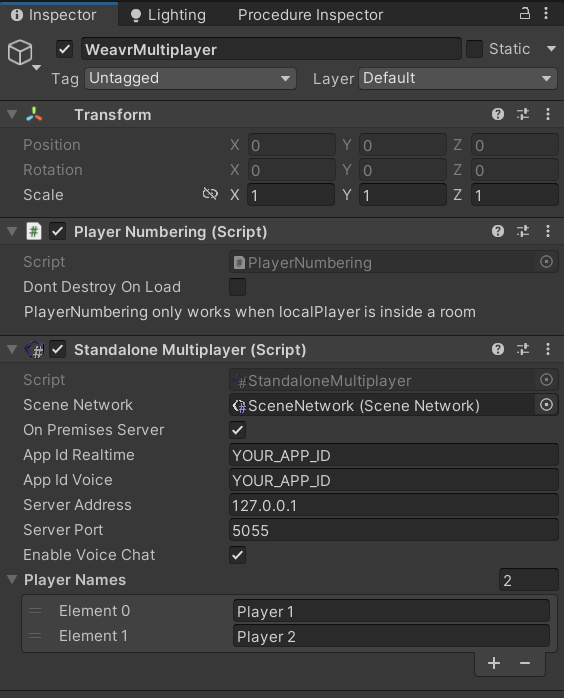
-
Check the On Premises Server option if you are using a self-hosted Photon Server.
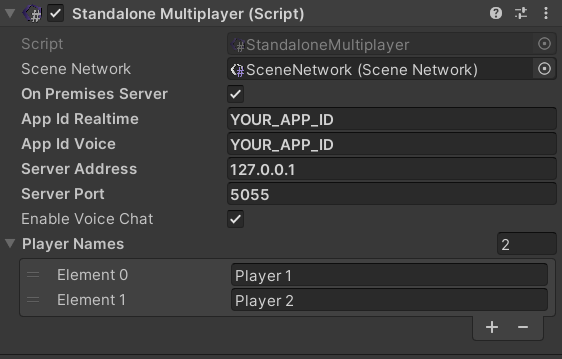
-
Uncheck the On Premises Server option if you are using Photon Cloud service.
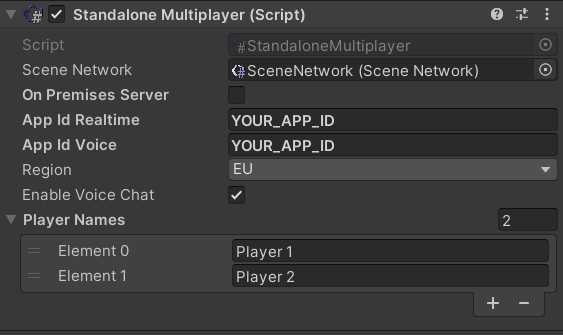
Multiplayer Components
WEAVR supports cross-platform multiplayer across VR and Android devices (Windows & Android).
In case of a multiplayer scene, the interactions and behaviors should be integrated with specific components that allow scene sharing with multiple players. Every interaction component should be integrated with its corresponding Network component to share the behavior-related events to all players in the scene.
The list of all the behaviors and its Network integrations is the following:
| Standard Component | Network Component |
|---|---|
| WEAVR Object | WEAVR Object Network |
| Connectable | Connectable Network |
| Executable | Executable Network |
| Door | Door Network |
| Push Button | Push Button Network |
| Switch | Switch Network |
| Screwable Object | Screwable Object Network |
| Screwable Hole | Screwable Hole Network |
| Knob | Knob Network |
Furthermore, some generic components have a network version, namely:
- LED Feed →
Network LED Feed