Animation Components
These components allow you to add features to Animators and Animations in a scene.
In this section, you will learn about the following components:
- Animate by Distance
- Animate by Value
Animate by Distance
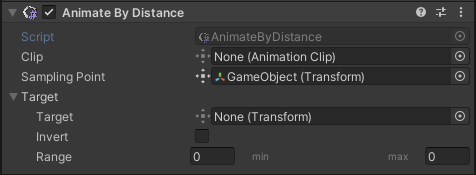
The Animate by Distance component plays the target animation clip based on the distance between two objects.
| Property | Function |
|---|---|
| Clip | Animation to be executed |
| Sampling Point | Start Object transform |
| Target | End object transform |
| Range | If enabled, the animation range of frames to be executed |
Animate by Value
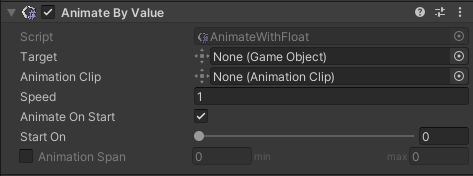
The Animate by Value component plays the target animation clip in unison with a Behavior progress movement.
| Property | Function |
|---|---|
| Target | GameObject to animate |
| Animation Clip | Animation to be executed |
| Speed | Animation play speed |
| Animate On Start | Start the animation when in play mode |
| Start On | Animation starting point in percentage. If the Animation Span property is enabled, the starting point depends on the defined span |
| Animation Span | If enabled, the animation range of frames to be executed |