Procedures
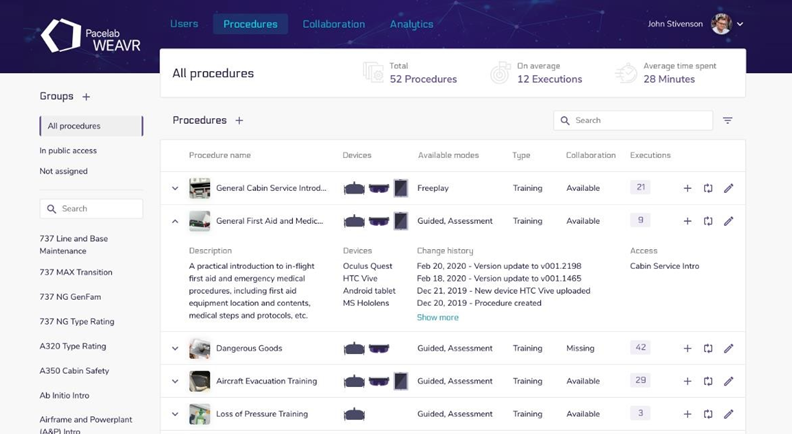
This page allows to create, edit, and delete procedures. It is also possible to upload a new version of an existing one or a new content for a specific version. The page contains the list of the Procedures inside the platform, information about procedures as well as the uploading history. A procedure can be deleted, edited (adding it into group or associating it to a user).
Upload a Procedure
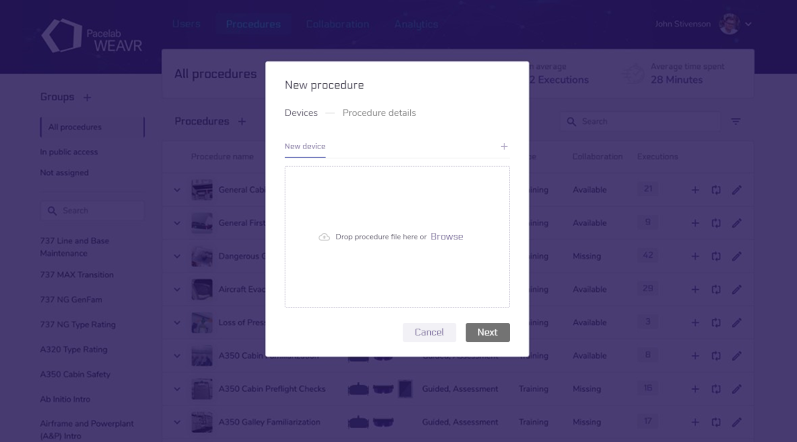
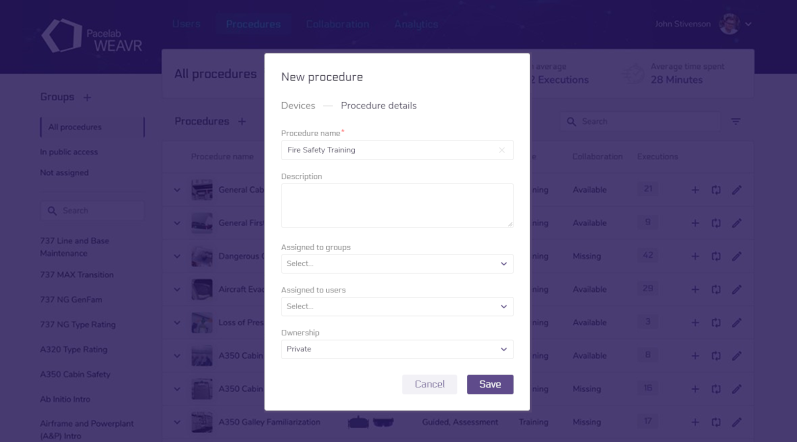
To upload a new procedure, a new version of an existing procedure or a new platform for a specific version, the steps to follow are the same. After building the Assetbundle for your procedure, as explained in the dedicated paragraph, click on the [+] icon.
Drag and drop the generated file inside the box or browse it. Once the upload is complete, it will be possible to modify the information concerning the procedure, such as the name, the group, or the users to which it is assigned.
If the procedure's ownership is public all kind of users can edit the procedure, instead if it is private only Admin or the user that created the procedure, can edit it.