Virtual Reality
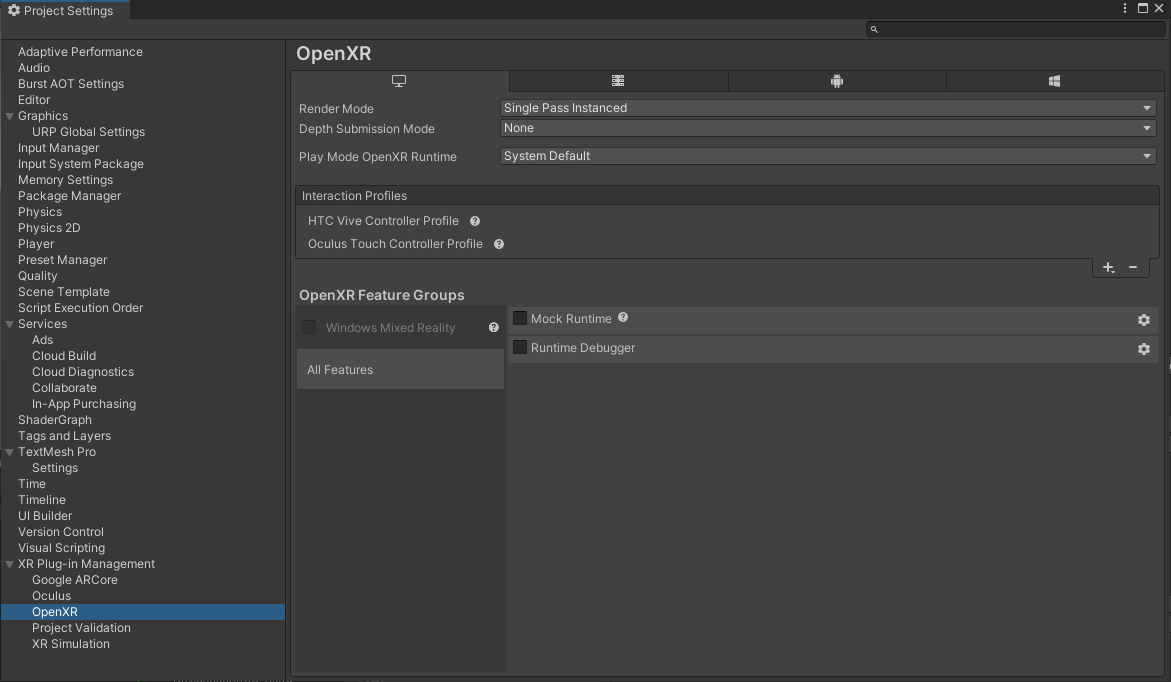
To build your procedure or try the WEAVR Components in VR with the Unity Editor you need first to setup OpenXR. Go to Project Settings > XR Plug-In Management and enable OpenXR inside the list of the available plug-ins for Windows platform, then set OpenXR as follows:
warning
Depending on the device used, it is necessary to install the application provided by the manufacturer (VIVE Console for HTC Vive, Oculus for Oculus Quest, etc.). Visit your device website for more information.
The Interaction Profiles allow you to use the controllers of the chosen VR device. Click on the [ + ] and add your device to the list.
note
WEAVR provides limited support for HoloLens.