Procedure Build
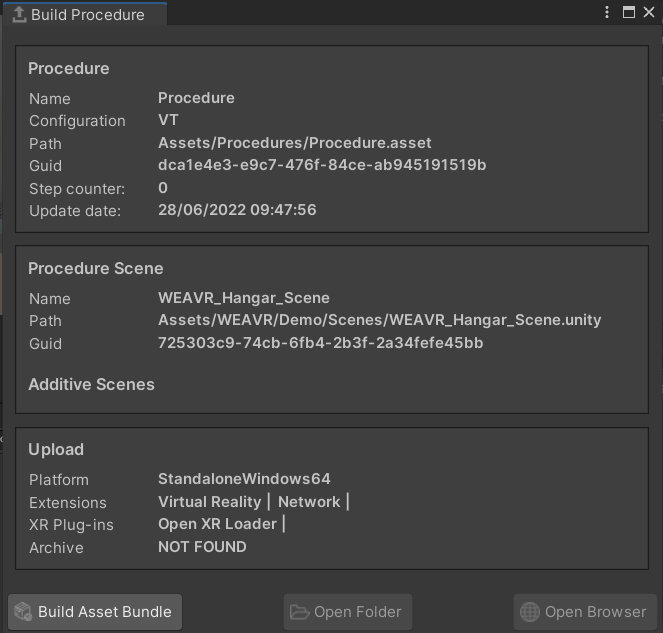
Once you have finished creating and testing your procedure, it's time to upload it to the WEAVR Manager. To upload a procedure, click on the Build button inside the Procedure editor.
Build Window
In this window you can find a summary of your procedure, with information regarding the number of steps or the type.
In the Upload section you can also check the type of platform on which your procedure will be performed, and the active extensions and plug-ins. To change the platform, go to Build Settings and change the platform.
Changing the following parameters may lead to WEAVR malfunction. It is therefore not recommended to modify.
Building the Procedure
Once you are sure of the settings you have chosen, click on Build Asset Bundle. Wait for Unity to complete the operation.
At the end, the two buttons Open Folder and Open Browser will be available: the first sends you to the folder where the file was saved, the second opens the browser to the WEAVR Manager page.
The generated file must be uploaded to the Manager. See the WEAVR Manager section for documentation on how to upload procedures.